You published the page, targeted the keyword, and now you're doing what almost everyone does first. You open Google, type the query, and start scrolling. If you don't see your page quickly, the assumption is immediate and painful: either the page isn't ranking, or SEO isn't working.
That reaction is understandable. It's also based on the wrong question.
When SaaS teams ask What page of Google am I on?, they're usually looking for one clean answer. Google rarely works that way. Rankings vary by query, location, device, and personalization. More importantly, Google doesn't rank your whole site once. It ranks specific pages for specific searches. If you want a number you can trust and act on, you need a diagnostic workflow, not a spot check.
Table of Contents
- The Search for Your Google Ranking
- Why Your Manual Searches Are Misleading
- Use Google Search Console for Definitive Answers
- Automate Monitoring with Third-Party Rank Trackers
- Your Rank Is X Now What From Data to Action
- Stop Asking and Start Tracking
The Search for Your Google Ranking
The business reason this matters is simple. Over 90% of organic search traffic on Google is concentrated within the first three pages of results, and the first page captures approximately 67% of clicks, according to this ranking distribution summary. That same source notes that if your page sits beyond page three, it's effectively invisible to most searchers.
For a SaaS company, that changes how you evaluate content. A comparison page that ranks on page four isn't "kind of working." It's missing the market. A feature page on page two may be much closer to revenue impact than a blog post that gets more impressions but sits nowhere near the first page.
That is why the search for a single page number usually leads people in the wrong direction. The useful question isn't "what page of Google am I on?" It's closer to this:
- Which page ranks
- For which query
- In which context
- And how close is it to improving
That shift matters more than is generally understood.
If you need a grounding in the mechanics behind this, start with a practical overview of search engine optimization basics. Then come back to rank tracking with a narrower goal: identify the pages and queries that can move.
Practical rule: Treat rankings as a visibility map, not a vanity metric.
Why Your Manual Searches Are Misleading
Typing a keyword into Google feels like the obvious way to check rank. It's fast, free, and familiar. It's also one of the least reliable methods available.
Google doesn't show one universal result set to everyone. It customizes results based on context, and that means your view is often not the same view your buyers get.
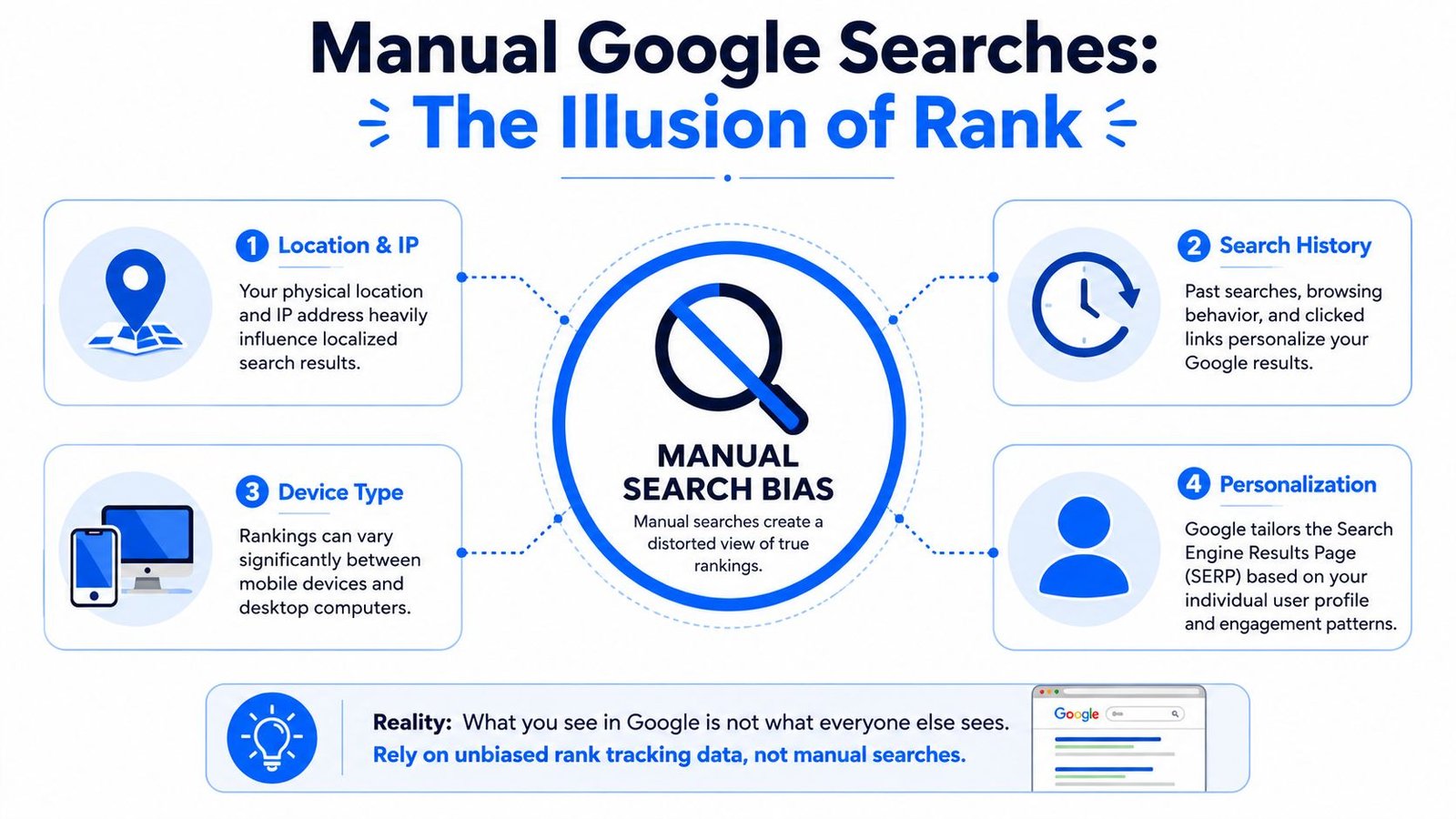
Personalization changes what you see
If you've visited your own site before, clicked your brand repeatedly, or searched related terms often, Google can skew what appears in your results. The same applies if you're logged into an account with a long search history.
That's one reason founders and marketers often think a page ranks better than it really does. They are the least neutral searchers for their own business.
Location and device matter
A query typed on a desktop in one city may not return the same ordering as that same query on a mobile phone somewhere else. That matters for SaaS teams targeting multiple regions or selling into both local and global markets.
For example, a landing page might surface differently for a broad software query depending on where the search happens and what device is used. If you're manually checking from one office, you're seeing one slice of reality.
Manual rank checks are useful for a quick sanity check. They are poor evidence for reporting or prioritization.
A better mental model comes from this point: Google ranks pages for queries, not whole websites. Manual checks are often distorted by logged-in history, cookies, and localization, while Google Search Console's Performance report provides more reliable, aggregated data, as explained by RankActive's discussion of ranking context.
That also affects keyword planning. If a term looks impossible because your manual search shows dominant competitors, that snapshot may not reflect where your page stands across markets and contexts. Understanding keyword difficulty in practice is less about one screen and more about the competitive environment over time.
Use Google Search Console for Definitive Answers
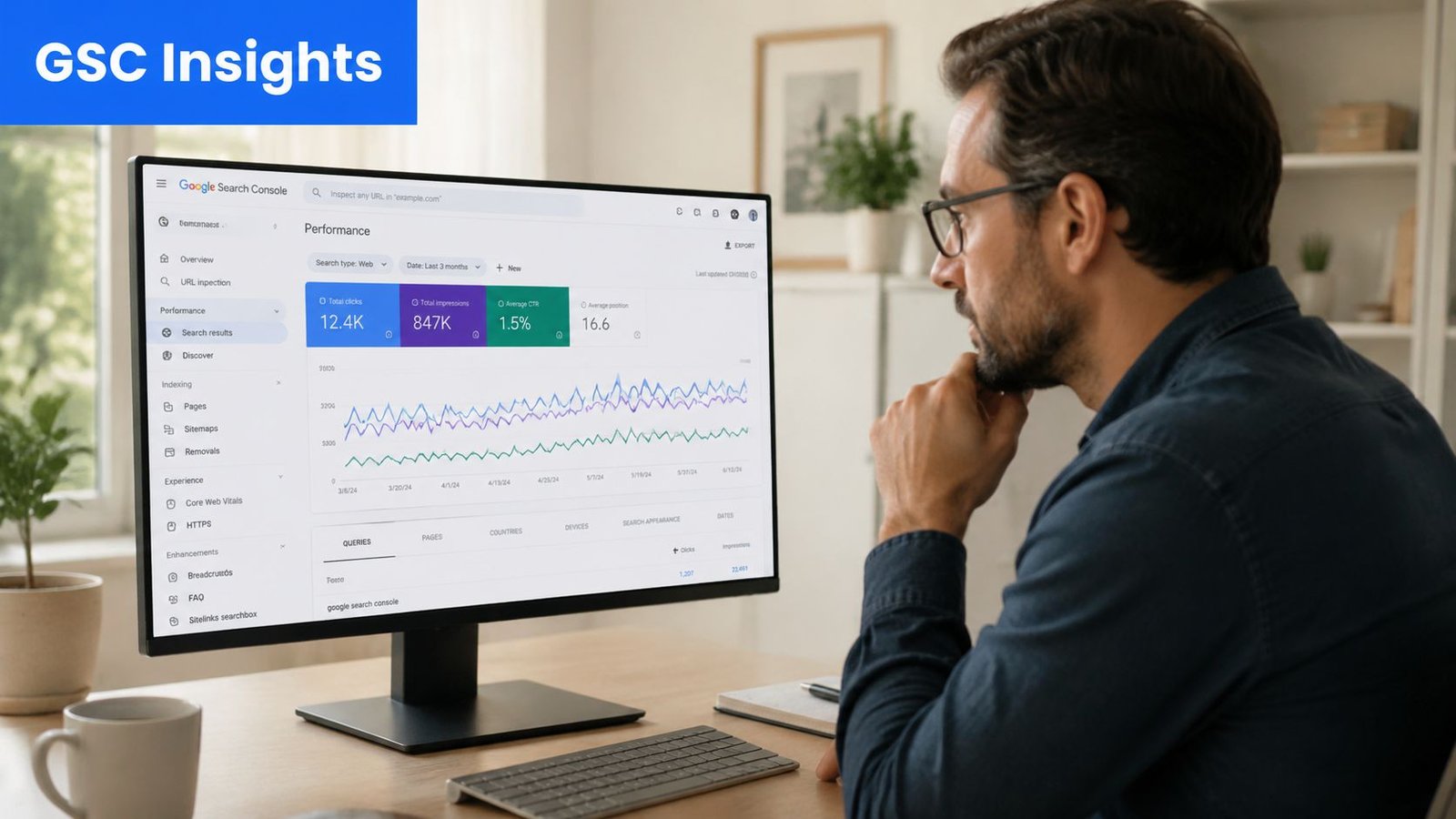
If you want the closest thing to a trustworthy answer inside Google's ecosystem, use Google Search Console Performance. It won't give you a perfect live snapshot for every searcher, but it will give you the most useful operational view: clicks, impressions, queries, pages, and average position.
Start with the Performance report
Open Search Console and go to Performance. Before you do anything else, enable the Average position metric. Without it, you're only looking at demand and clicks, not rank behavior.
The workflow Google points you toward is practical: enable average position, switch between the Pages and Queries tabs to isolate a URL and its top queries, and filter for positions 11 to 20 to find striking-distance terms. That guidance appears in Google's explanation of how search results work and how reporting should be interpreted.
Here's the basic sequence I recommend to SaaS teams:
- Open Performance and set a meaningful date range. Short windows can be noisy.
- Turn on Average position so ranking data appears alongside clicks and impressions.
- Click the Pages tab to find the URL you care about.
- Select that page to filter the report to one URL.
- Move to the Queries tab to see which terms that specific page ranks for.
The question becomes more insightful. You're no longer asking where the site ranks. You're asking which queries a page is already earning visibility for.
Find which page ranks for which query
This step exposes a common SaaS SEO problem. Teams often optimize one page for one target phrase, then discover Search Console shows a different reality:
- A blog post ranks for the query they wanted the feature page to own
- A use-case page gets impressions for product-comparison terms
- The homepage cannibalizes category intent
- A help doc outranks a commercial page for a high-value search
That isn't failure. It's diagnostic data.
When you isolate a page and inspect its queries, you're learning how Google currently understands the page. That tells you whether to rewrite, expand, consolidate, or support the page with internal links. It also tells you whether another URL on the site is competing for the same intent.
A lot of marketers care about organic traffic as a growth channel, but traffic alone won't tell you which URL deserves the next round of optimization. Query-to-page mapping will.
Use average position the right way
Average position is helpful, but many teams misuse it. They treat it like a current exact rank. It isn't.
Search Console is better for trend analysis than for answering "where am I right this second?" A page may appear differently across queries, geographies, devices, and personalized contexts. Average position smooths that complexity into something workable.
Use it for these jobs:
| Use case | Why it works |
|---|---|
| Trend tracking | You can tell whether a page is improving or slipping over time |
| Opportunity spotting | You can find queries where the page is close enough to improve with focused work |
| Triage | You can separate pages with real momentum from pages that need heavier rebuilding |
Use it less for these jobs:
| Misuse | Why it fails |
|---|---|
| Live rank reporting | The metric is aggregated, not a single real-time SERP position |
| One-keyword storytelling | A page usually ranks across many related searches, not one isolated term |
The most actionable filter in many B2B SaaS accounts is positions 11 to 20. Those are terms sitting near page one. They often respond to sharper internal linking, tighter search intent alignment, stronger headings, clearer product relevance, and content updates that make the page more complete.
If a query is already close, don't launch a brand-new page by default. Improve the URL that's already earning visibility first.
Automate Monitoring with Third-Party Rank Trackers
Search Console is the truth source inside Google. It isn't the best dashboard for daily monitoring, competitive tracking, or controlled location checks. That's where third-party tools earn their keep.
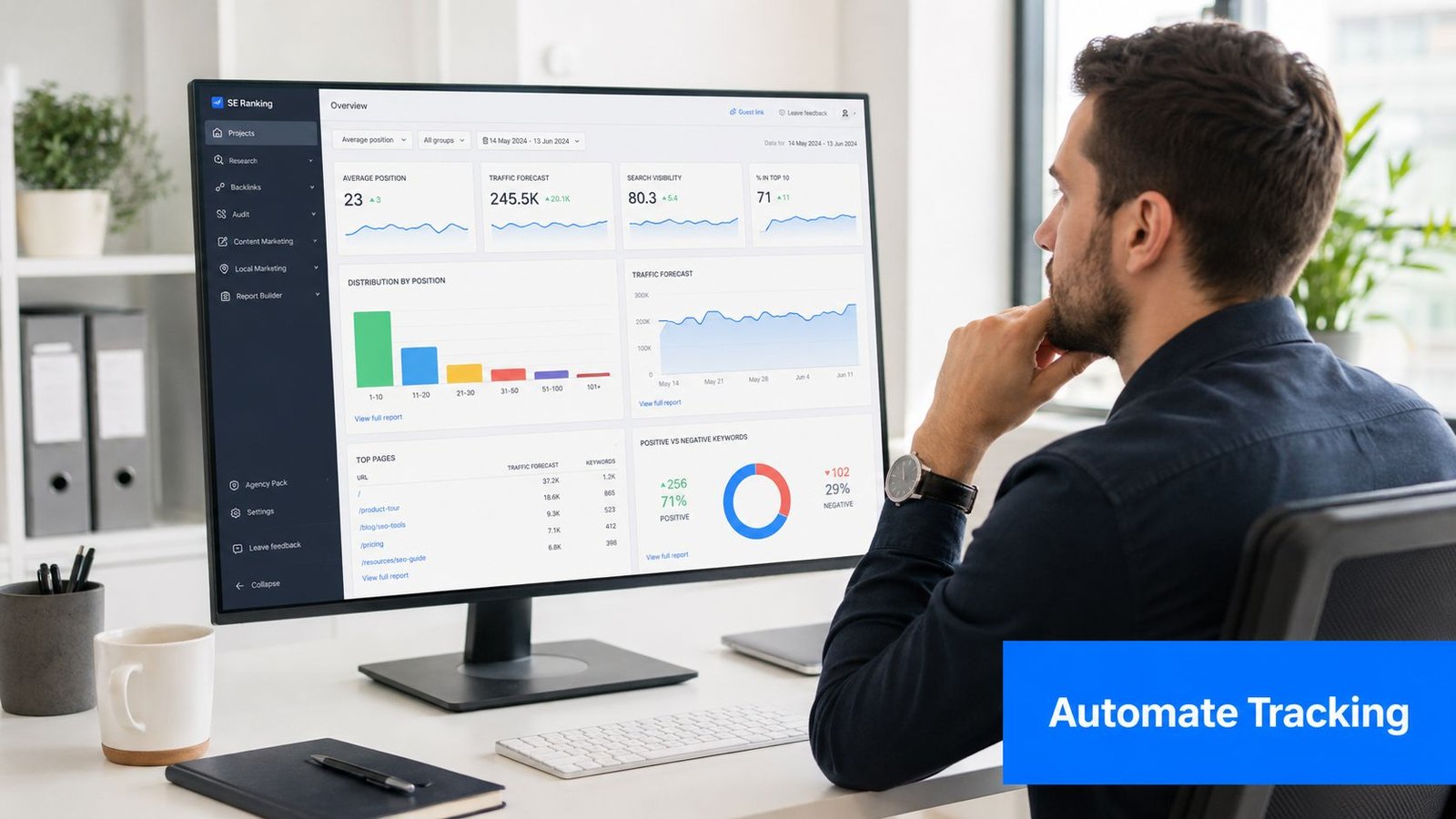
Tools like Ahrefs and Semrush help teams standardize the view. Instead of asking different people to manually search from different devices, you can monitor a fixed keyword set in a defined market, such as a country-level desktop or mobile SERP.
What rank trackers do better than GSC
For operating cadence, these tools solve real problems:
- Consistent monitoring gives you a stable view of selected keywords without relying on ad hoc checks.
- Competitor tracking shows whether your page moved because you improved, or because another site entered the results.
- SERP visibility checks help you watch how crowded the result page has become around your target query.
- Team reporting is simpler when everyone works from the same tracked list.
This matters for product launches. Suppose a product manager publishes a page for a newly released feature. Search Console will eventually show impression and query data, but a rank tracker makes it easier to watch that page against a known competitor set from day to day in a fixed location.
What they do worse
Third-party tools still aren't a substitute for Search Console.
They estimate rank for tracked keywords in controlled conditions. They don't show the full set of queries that Google is already testing your page on. They also don't reflect the exact aggregation Google sees across real user searches.
Use the split this way:
| Tool type | Best job |
|---|---|
| Google Search Console | Diagnose how Google currently exposes your pages across real queries |
| Rank tracker | Monitor a chosen keyword set in a repeatable market view |
That pairing is what works. Search Console tells you what is happening. Rank trackers make it easier to monitor the subset you care about most.
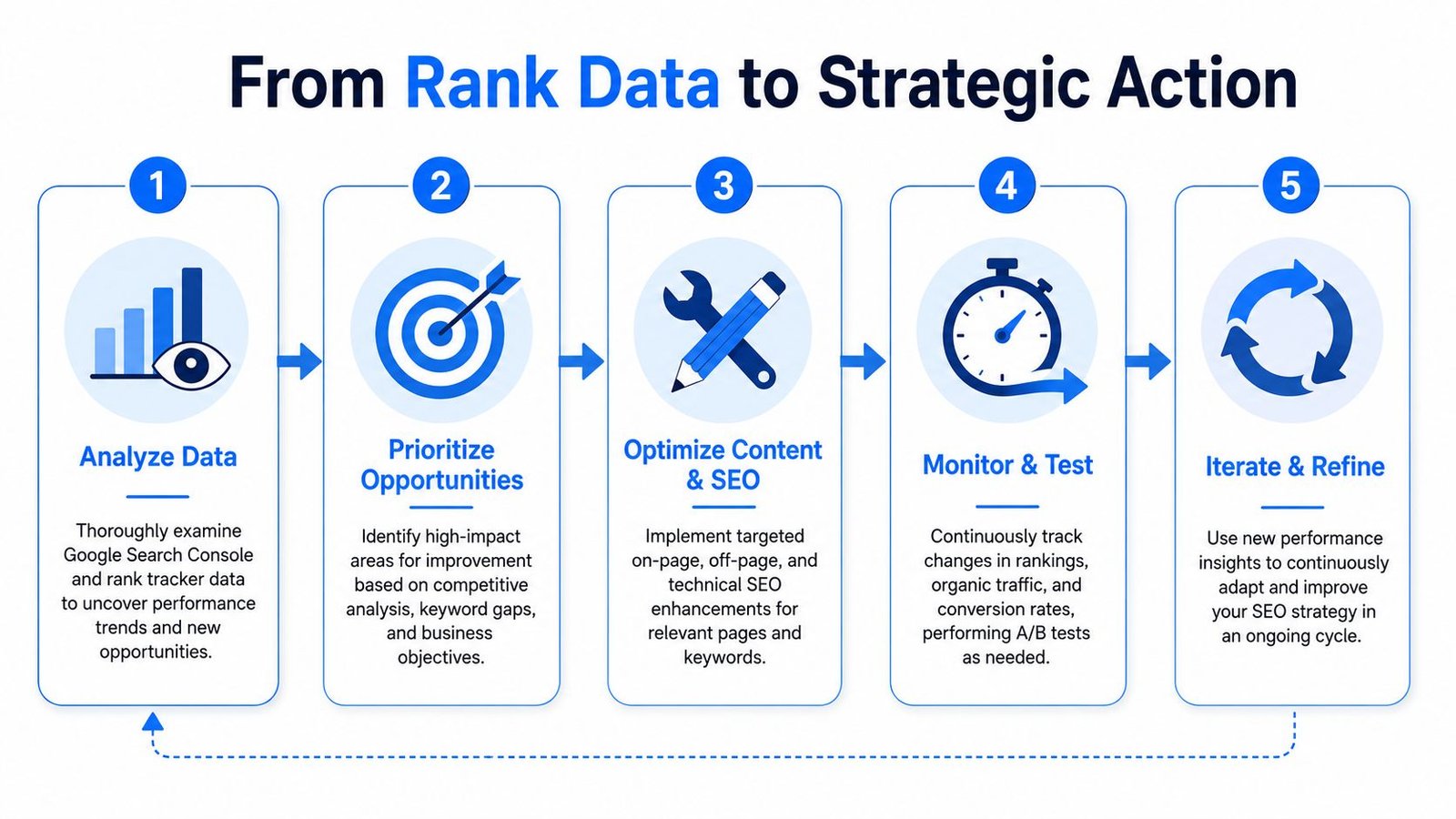
Your Rank Is X Now What From Data to Action
Once you know where a page stands, the only thing that matters is the next move. Rank data by itself doesn't grow pipeline. Decisions do.
If the page is buried
When a page sits well beyond page one, don't start by tweaking title tags and hoping. That usually isn't enough.
Run a foundational review instead:
- Check intent match. Is this page the right format for the query? A feature page won't always win against a comparison or educational intent.
- Audit page depth. Thin explanations, weak proof, and vague product positioning leave Google little reason to rank the page higher.
- Review internal links. Important pages often have surprisingly weak support from the rest of the site.
- Look for URL conflict. Another page may be splitting relevance.
If a SaaS team skips this and goes straight to tactical edits, they often spend weeks polishing a page that shouldn't be the primary ranking URL in the first place.
If the page is close to page one
This is the most impactful zone for many teams. When Search Console shows a query in the 11 to 20 range, the page usually doesn't need reinvention. It needs sharper execution.
I look for a few practical upgrades:
Tighten the page around the query cluster
Make sure the core language on the page reflects the searches it is earning impressions for. Many pages rank near page one while still underserving the exact wording and subtopics Google associates with the query.Strengthen internal linking with intent-aware anchors
Link from related blog posts, feature pages, comparison pages, and help content. The goal isn't to spray links everywhere. The goal is to tell Google, and users, that this URL is the central answer for that topic.Refresh the page where clarity is weak
Add missing examples, clearer use cases, sharper headings, and cleaner explanations. In SaaS, pages often stall because the copy sounds brand-forward instead of search-useful.
A page on the edge of page one doesn't need random activity. It needs focused reinforcement.
- Support it with external authority signals
If the page is commercially important and structurally sound, this is often the stage where link acquisition can matter. Not because links are magic, but because they can help close the gap when the page already has relevance and intent fit.
If the page already ranks on page one
Don't treat a page-one ranking as finished work. The job changes.
At that point, focus on defense and expansion:
- Protect the page's relevance by keeping information current
- Improve click appeal through clearer positioning and stronger SERP messaging
- Expand adjacent intent coverage so the page earns visibility across a wider query set
- Watch for cannibalization if new pages start overlapping the same topic
A page that already ranks can still underperform if it attracts impressions for the wrong searches or if another page on your site begins competing with it.
Here's a simple action framework:
| Current situation | Best next action |
|---|---|
| Far from page one | Reassess intent, page type, depth, and site support |
| In striking distance | Improve on-page alignment, internal links, and authority support |
| Already on page one | Defend, refine, and widen coverage without diluting relevance |
The teams that make SEO work consistently don't obsess over one rank check. They build a habit: diagnose, prioritize, improve, measure, repeat.
Stop Asking and Start Tracking
The question What page of Google am I on? sounds simple, but it pushes people toward the least reliable method. Manual searches give you a distorted snapshot. Search Console gives you the working truth. Rank trackers help you monitor a controlled keyword set over time.
That's the system.
Use Google Search Console to find which page ranks for which query. Use a rank tracker when you need repeatable monitoring and competitor context. Then turn that data into action based on where the page sits and how close it is to moving.
Once you work this way, ranking stops being a guessing game. It becomes an operating process your team can repeat, review, and improve.
If your team has pages stuck near page one or important commercial terms that never seem to break through, SaasSky helps SaaS and eCommerce brands turn ranking opportunities into link building campaigns built for real business outcomes. Explore their pricing, review their case studies, and reach out if you want a practitioner-led plan instead of generic SEO advice.